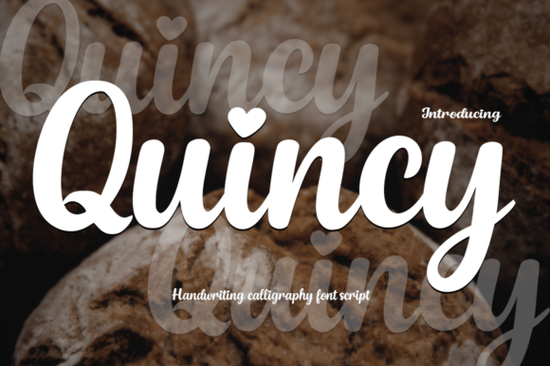
If you are working on a project that needs a touch of grace and personal warmth, finding the right typeface can make all the difference. The Quincy Font offers exactly that blend of stylish modern calligraphy with a soft, handwritten feel. It combines elegant letterforms with smooth strokes, giving it a personality that feels refined yet approachable. One of its most charming details is the inclusion of heart-shaped dots on the letters “i” and “j,” which adds a distinct whimsy to every message.
This font is particularly popular among designers creating wedding invitations, branding materials, and social media graphics where emotional connection matters. Because the design leans toward a feminine touch, it works beautifully for heartfelt quotes and delicate illustrations. Alongside the main script, the package includes a bonus typeface called Playtoon, which brings a bold cartoon energy perfect for contrasting heavy headings with light body copy.
Where Does Quincy Fit Into Your Design Projects?
Choosing the right script font often depends on the atmosphere you want to create. Quincy sits comfortably between formal and casual, making it versatile for various applications. If you specialize in print-on-demand items, knowing how a font scales and behaves in real-world settings is essential. For instance, when designing stationery sets or greeting cards, the graceful curves prevent the text from feeling stiff or overly corporate.
Sometimes, a project calls for a different kind of warmth than what Quincy provides. If you find yourself needing a texture that feels more rugged or earthy, exploring other options like rustic script options might be necessary to match the overall theme. On the flip side, if you want something that looks less polished and more authentic to a quick note, relaxed handwriting styles offer a different kind of readability.
The versatility of script libraries is vast, and many creators enjoy mixing styles to balance their layouts. If you appreciate the pairing of complementary typefaces, looking into Randy Sofia combinations could provide similar elegance with slightly different structural bones. When the goal is to inject playfulness rather than traditional beauty, alternatives like whimsical lettering choices serve as great references for maintaining visual interest without losing professionalism.
Why Include the Playtoon Bonus?
The bonus font included with this set changes how you approach a layout. While Quincy flows smoothly across lines, Quincy Font maintains a steady rhythm. In contrast, Playtoon bursts with character using expressive shapes and lively vibes. It is designed specifically for bold display purposes where you want to grab attention instantly.
Using Playtoon is ideal for children’s books, comic strips, or fun branding for youth-oriented products. Its chunky nature ensures legibility even at smaller sizes, which is a common hurdle with more intricate scripts. Downloading Playtoon allows you to pair a structured headline with a flowing signature style effectively. This duality helps separate information hierarchy clearly.
How to Choose Between Different Script Styles
Selecting typography often comes down to brand identity or the specific emotion you wish to evoke. A classic look might suit certain historical projects better than a modern one. If you need a nostalgic feel that speaks to old traditions, examining classic vintage scripts provides insight into how older typographic rules influence current trends. Understanding these nuances prevents mismatches between your text and your imagery.
- Identify the Vibe: Decide if the project requires luxury or friendship.
- Test Readability: Always preview long text before committing to a final decision.
- Check File Formats: Ensure your software supports the OpenType features available.
- Match with Imagery: Ensure the line weight balances well with photos or icons.
Many small business owners overlook the importance of consistent typography in their marketing assets. When your logo uses a script, repeating that style in email newsletters or packaging builds recognition. However, switching to a playful font like the bonus option can signal a sale event or a special edition product without confusing the core audience.
Installation Tips for Success
Once you have acquired the files, proper installation ensures you can access all the characters correctly. Most operating systems recognize standard font files, but some users might encounter issues with special symbols. It helps to install the font in your system directory so that all your design tools see it immediately. If you plan to use these in Canva or Illustrator, verify that the software refreshes its library after installation.
Beyond just putting the files on your computer, consider how you utilize them commercially. Reviewing the license terms is crucial for anyone selling physical goods. Creative Fabrica licenses vary depending on the subscription or individual purchase, so double-check whether you can transfer fonts to clients for commercial work.
Your Action Plan for This Font Set
Before diving into full production, take a moment to prepare your workflow. Here is a simple checklist to ensure you get the most out of this download:
- Install both the script and cartoon fonts on your device.
- Create a sample document with the names of your typical clients.
- Write out pricing structures or slogans to test legibility.
- Compare the heart-dot feature against your existing logo marks.
- Save backup files in case the system loses the new glyphs.
Taking these steps now saves frustration later. With the right setup, you can create materials that feel personal and professionally finished. Whether you are inviting guests to a big event or launching a playful brand, having the tools to express your ideas clearly is always the primary goal. Use this variety to explore new directions in your portfolio without compromising quality.
Download Now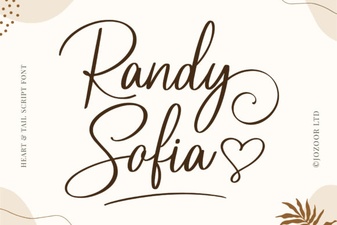 Randy Sofia Font for Creative Projects
 Saturday Font: Creative Design Ideas for Weekend Projects
 Dream Wish Font: Creative Typography for Designers
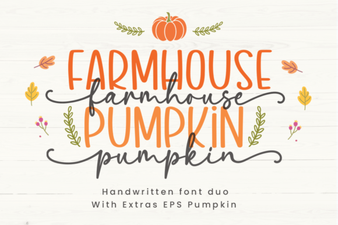 Versatile Pumpkin Fonts for Rustic Design Projects
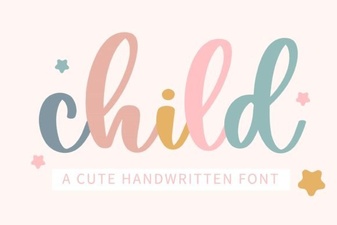 Creative Font Ideas for Children's Projects
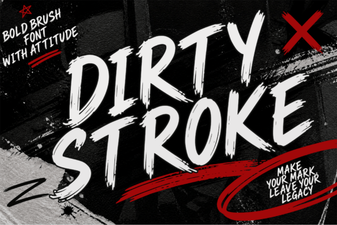 Crafting with Dirty Stroke: Creative Font Projects